Recent Posts
Categories
Stay Informed
As of July 1, 2026, Microsoft has officially increased pricing on many Microsoft 365 business, enterprise, and frontline subscriptions. These changes affect both new purchases and renewals and are part of a broader Microsoft initiative to bundle additional security, AI, compliance, and device management features into its licensing offerings.
If your organization relies on Microsoft 365 for email, collaboration, security, and productivity, it’s important to understand what is changing, why prices are increasing, and how to manage the impact on your budget.
Why Is Microsoft Raising Prices?
According to Microsoft, the price adjustments reflect the significant investment the company has made in:
- AI-powered productivity tools
- Enhanced security protections
- Advanced device management capabilities
- Compliance and governance features
- Copilot Chat enhancements and analytics
- Expanded Microsoft Defender capabilities
- Additional Intune management tools
- Larger Mailboxes for small businesses
Microsoft states that these improvements provide more value within existing subscriptions, reducing the need for separate add-on purchases.
When Do the New Prices Apply?
The pricing changes became effective July 1, 2026.
For existing customers:
- Current pricing remains in effect until your next renewal date.
- Renewals occurring after July 1, 2026 will be billed at the new rates.
- New subscriptions purchased after July 1, 2026 immediately receive the updated pricing.
Most Common Microsoft 365 Plans and New Pricing
Below are some of the most common business subscriptions used by small and midsize organizations.
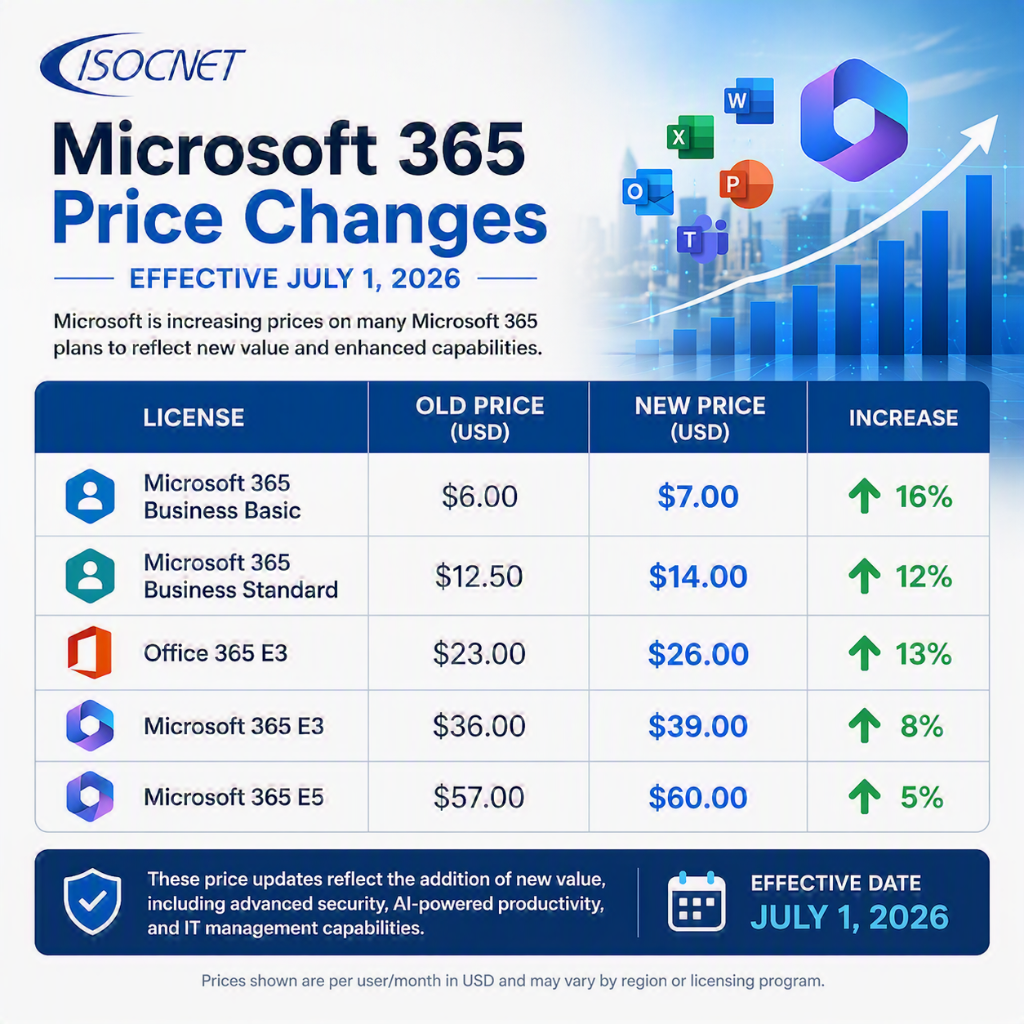
Pricing shown is Microsoft’s published U.S. list pricing and may vary based on agreement type, region, or licensing program.
Some Plans Are Not Increasing
Interestingly, a few popular plans received additional features without a price increase:
- Microsoft 365 Business Premium
- Office 365 E1
- Certain security suites and add-ons
This means organizations already using Business Premium may see added value without an immediate licensing increase.
What’s Being Added?
While nobody likes paying more, Microsoft is also adding capabilities that previously required separate purchases.
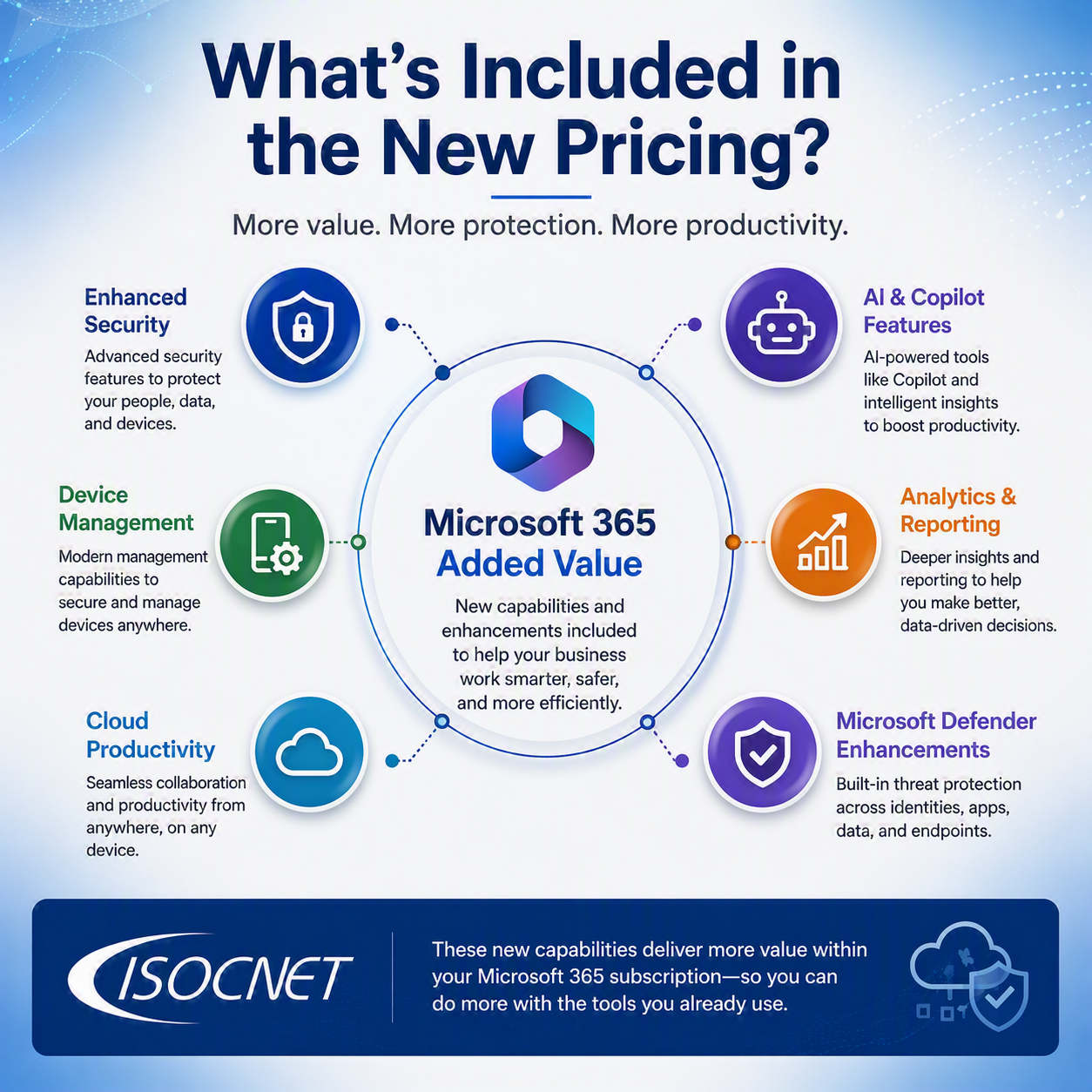
Examples include:
Increased Mailbox Size
All of the small business plans originally only include a 50 GB mailbox. They will now all be 100 GB mailboxes. So no need to pay extra for the larger mailbox size.
Enhanced Security
Many Microsoft 365 subscriptions now include expanded security protections such as:
- Microsoft Defender for Office 365 features
- Safe Links email protection
- Improved threat detection
- Enhanced security analytics
Improved Device Management
Select plans gain access to additional Microsoft Intune capabilities, helping organizations:
- Secure company devices
- Manage remote workers
- Enforce security policies
- Monitor compliance
AI and Copilot Enhancements
Microsoft is continuing its AI-first strategy by expanding:
- Copilot Chat capabilities
- Copilot Analytics
- AI-powered productivity tools
- Security Copilot functionality in higher-tier plans
These enhancements are designed to help organizations work more efficiently while improving security and compliance.
What This Means for Your Business
For a business with 25 employees, even a modest increase can add several hundred dollars annually to software costs.
For example:
- Business Basic increases by $1 per user/month
- Business Standard increases by $1.50 per user/month
- E3 increases by $3 per user/month
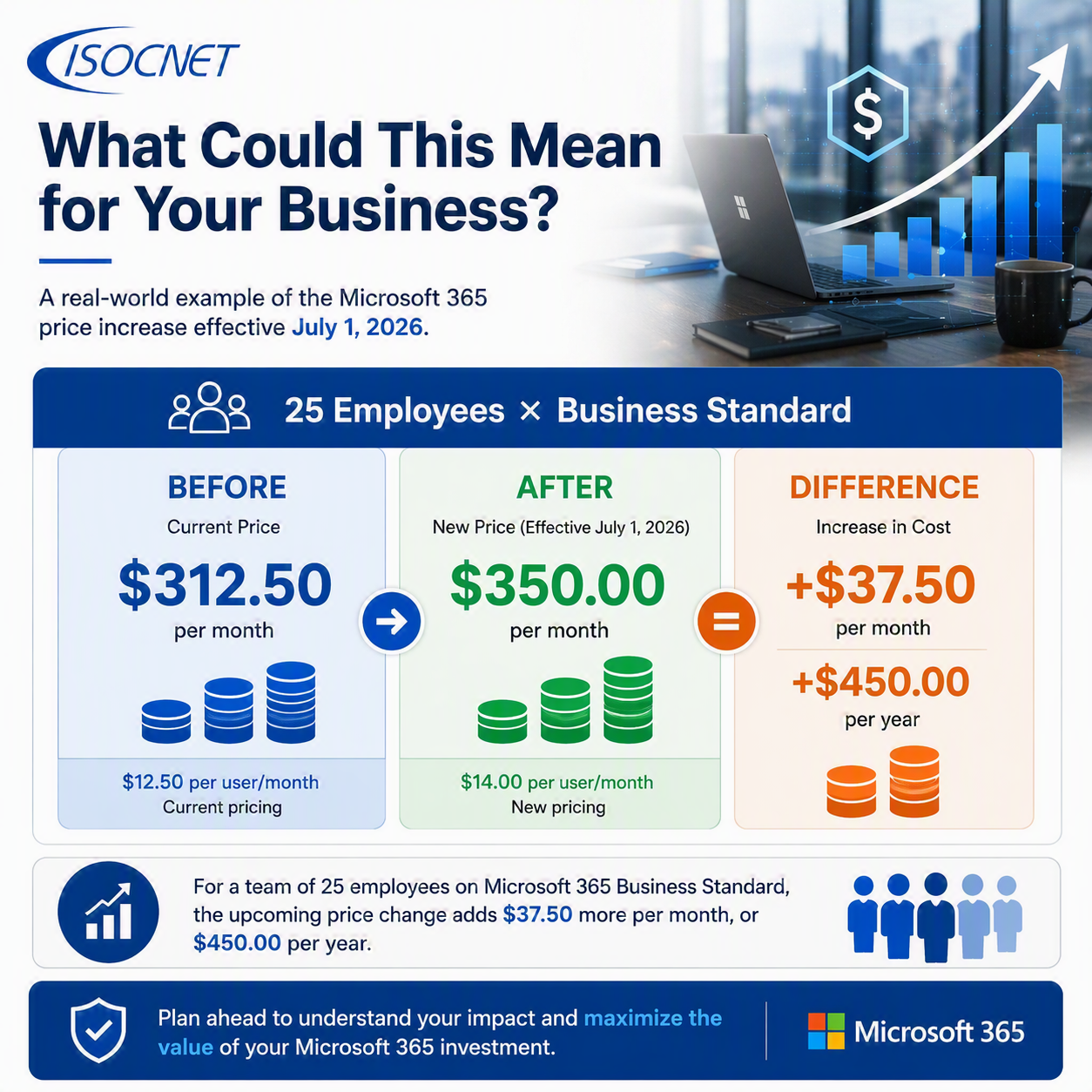
Organizations with larger user counts or enterprise licensing agreements will likely see a more noticeable impact during their next renewal cycle.
Actions Every Business Should Take
Before your next Microsoft 365 renewal, we recommend:
1. Review License Usage
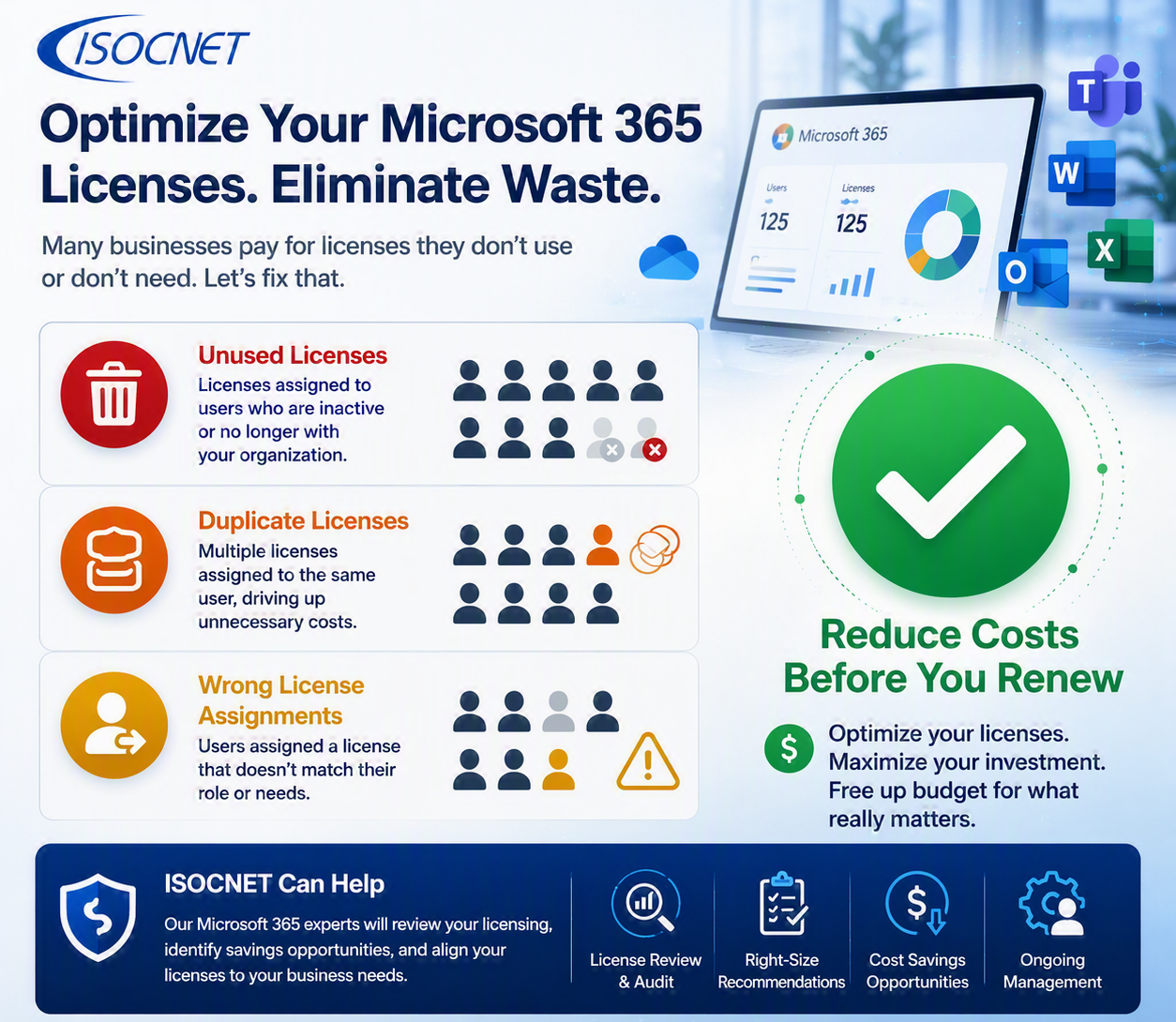
Many organizations pay for licenses that are no longer being used.
Look for:
- Former employees
- Shared accounts
- Duplicate licenses
- Incorrect license assignments
2. Verify You Have the Right Plan
Some businesses have outgrown their current licensing model, while others may be paying for features they aren’t using.
3. Evaluate Security Needs
With new security features being bundled into Microsoft 365, it may be possible to eliminate third-party products and simplify your IT environment.
4. Budget for Renewal Costs
Knowing your upcoming renewal impact now can help avoid surprises later in the year.
How ISOCNET Can Help
At ISOCNET, we’re already helping clients evaluate the impact of Microsoft’s 2026 pricing changes and identify opportunities to optimize licensing costs.
Our team can help you:
- Review current Microsoft 365 licensing
- Eliminate unused subscriptions
- Align users with the correct plan
- Strengthen security using included features
- Forecast renewal costs
- Maximize your Microsoft 365 investment
Microsoft’s July 1, 2026 pricing update represents one of the most significant Microsoft 365 licensing changes in recent years. While many organizations will see increased costs, they will also gain access to expanded security, management, and AI capabilities designed to support today’s increasingly digital workplace.
The key is ensuring you’re paying for the right licenses and taking advantage of the new features you’re now receiving.
Unsure how these changes affect your organization? Contact ISOCNET for a Microsoft 365 licensing review and cost analysis before your next renewal.